See What's in Vū Studio's December Release
What’s in Vū Studio's December Release
The December 2025 Vū Studio update is here, bringing a set of focused improvements designed to make creating and delivering immersive presentations faster and easier. From cloud file access to better playback behavior, these updates help teams stay efficient and presentation-ready.
Here’s what’s new.
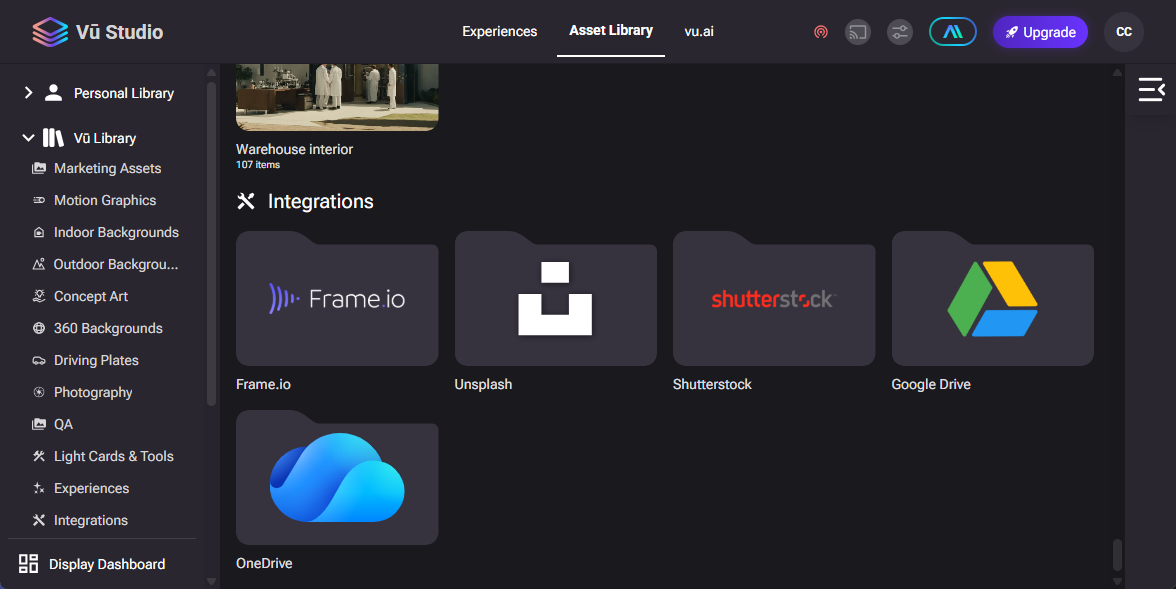
Microsoft OneDrive, Now Inside Vū Studio
You can now access files directly from Microsoft OneDrive within Vū Studio. There’s no need to download or re-upload assets, making it easier to manage presentation content and keep workflows moving without interruptions.
Built-In Music Playback from the Navigation Menu
Adding audio to immersive presentations is now simpler. Users can select and play music directly from the navigation menu, making it easy to add soundtracks or background audio without breaking focus.
Loop Content Without Keeping Vū Studio Open
Presentation mode now supports continuous looping without requiring the Vū Studio web app to stay open. This makes it easier to run unattended presentations for kiosks, displays, or shared environments.
Hidden Video Layers Are Automatically Muted
Hidden video layers no longer play audio. This update prevents unexpected sounds during presentations and helps ensure a smoother, more controlled experience.
A Cleaner Sidebar During Presentations
Sidebar folders that aren’t part of the active presentation are now hidden. This keeps the Vū Studio interface clutter-free and helps presenters stay focused on the content that matters.
Share Presentations Without a Vū Studio Account
Sharing content is now more flexible. Presentations can be shared with anyone, even if they don’t have a Vū Studio account, making collaboration with external teams and stakeholders easier.
Read the full release notes, you can visit: here